Powered by Prove’s Phone Identity Network (PIN), Prove Pre-Fill expedites the digital onboarding process by pre-populating a form with verified identity information tied to a phone number, while mitigating fraud.
Pre-Fill enables a Client to streamline account opening and registrations while creating a seamless user experience. KYC included at no extra cost.
Prove Pre-Fill provides your customer with a secure and frictionless digital onboarding experience from their very first touchpoint. In the background, Prove conducts an eligibility check to evaluate real time behavior and tenure of the phone’s reputation to prevent fraud and ensure the consumer may proceed with Pre-Fill.
The customer gives their consent to continue Prove Pre-Fill by entering their birthdate and agreeing to the terms and conditions. This initiates Prove to passively verify the customer’s personal identification token (PIT).
Having given their consent, customer reviews the pre-populated personal identity data by either editing or approving it. The secure, compliant data has been pulled from authoritative sources and is highly accurate for a streamlined process.
And just like that, the customer has successfully onboarded on Mobile. With Prove Pre-Fill, the customer enjoys a speedy onboarding process while companies appreciate a substantial drop in customer abandonment rates.
In the background, Prove conducts an eligibility check to ensure that there is enough consumer data to continue with Prove Pre-Fill.
Having given their consent, the customer reviews the data by either editing or approving it. The data has been pulled from authoritative sources like credit bureaus and is highly accurate. (KYC compliant)
The customer will receive an SMS with an Instant Link. By clicking the link, the customer provides Prove with the necessary information related to their mobile carrier which authenticates the customer's device.
Having given their consent, the customer reviews the data by either editing or approving it. The data has been pulled from authoritative sources like credit bureaus and is highly accurate.
And just like that, the customer has successfully onboarded on their desktop. With Prove Pre-Fill, the customer enjoys a speedy onboarding process while companies appreciate a drop in customer abandonment rates.
When a customer calls or uses mobile chat to request opening a new account, the representative (or bot) can ask if they would like to expedite the process by completing the application with Pre-Fill simply by providing their phone number.
The customer will receive an SMS with an Instant Link. By clicking the link, the customer provides Prove with the necessary information to authenticate the customer's device.
A customer gives their consent to continue Pre-Fill by entering their birthdate and agreeing to the terms and conditions.
Having given their consent, the customer will review the autofilled data by either editing or approving it. The data has been pulled from authoritative sources like credit bureaus and is highly accurate.
And just like that, the customer has successfully onboarded on their mobile phone via the contact center.With Prove Pre-Fill, the customer enjoys a speedy onboarding process while companies appreciate a drop in customer abandonment rates.
In the background, Prove makes sure that it has the data necessary to Prove Pre-Fill a customer's identity. If so, the customer will proceed to the next step. If not, the customer will be routed to a traditional sign-up flow.
The customer gives their consent to continue Prove Pre-Fill by entering their birthdate and agreeing to the terms and conditions.
Customers will review the autofilled data by either editing or approving it. The data has been pulled from authoritative sources like credit bureaus and is highly accurate.
And just like that, the customer has successfully onboarded on their mobile phone via embedded media. With Prove Pre-Fill, the customer enjoys a speedy onboarding process while companies appreciate a drop in customer abandonment rates.
In the background, Prove makes sure that it has the data necessary to Prove Pre-Fill a customer's identity. If so, the customer will proceed to the next step. If not, the customer will be routed to a traditional sign-up flow.
The customer gives their consent to continue Prove Pre-Fill by entering their birthdate and agreeing to the terms and conditions.
The customer will review the autofilled data by either editing or approving it. The data has been pulled from authoritative sources like credit bureaus and is highly accurate.
And just like that, the customer has successfully onboarded on their desktop.With Prove Pre-Fill, the customer enjoys a speedy onboarding process while companies appreciate a drop in customer abandonment rates.
Prove Pre-Fill delivers your customer a secure and frictionless digital onboarding experience from their first touchpoint. In the background, Prove conducts an eligibility check to ensure there is enough consumer data to continue with Prove Pre-Fill, while confirming real time behavior and tenure of the phone’s reputation score to prevent fraud.
The customer gives their consent to continue Prove Pre-Fill by entering their birthdate and agreeing to the terms and conditions.
Having given their consent, customers will review the autofilled data by either editing or approving it. Prove populates authenticated, compliant consumer data from authoritative data partners. (KYC compliant)
And just like that, the customer has successfully onboarded on Mobile. With Prove Pre-Fill, the customer enjoys a speedy onboarding process while companies appreciate a drop in customer abandonment rates.
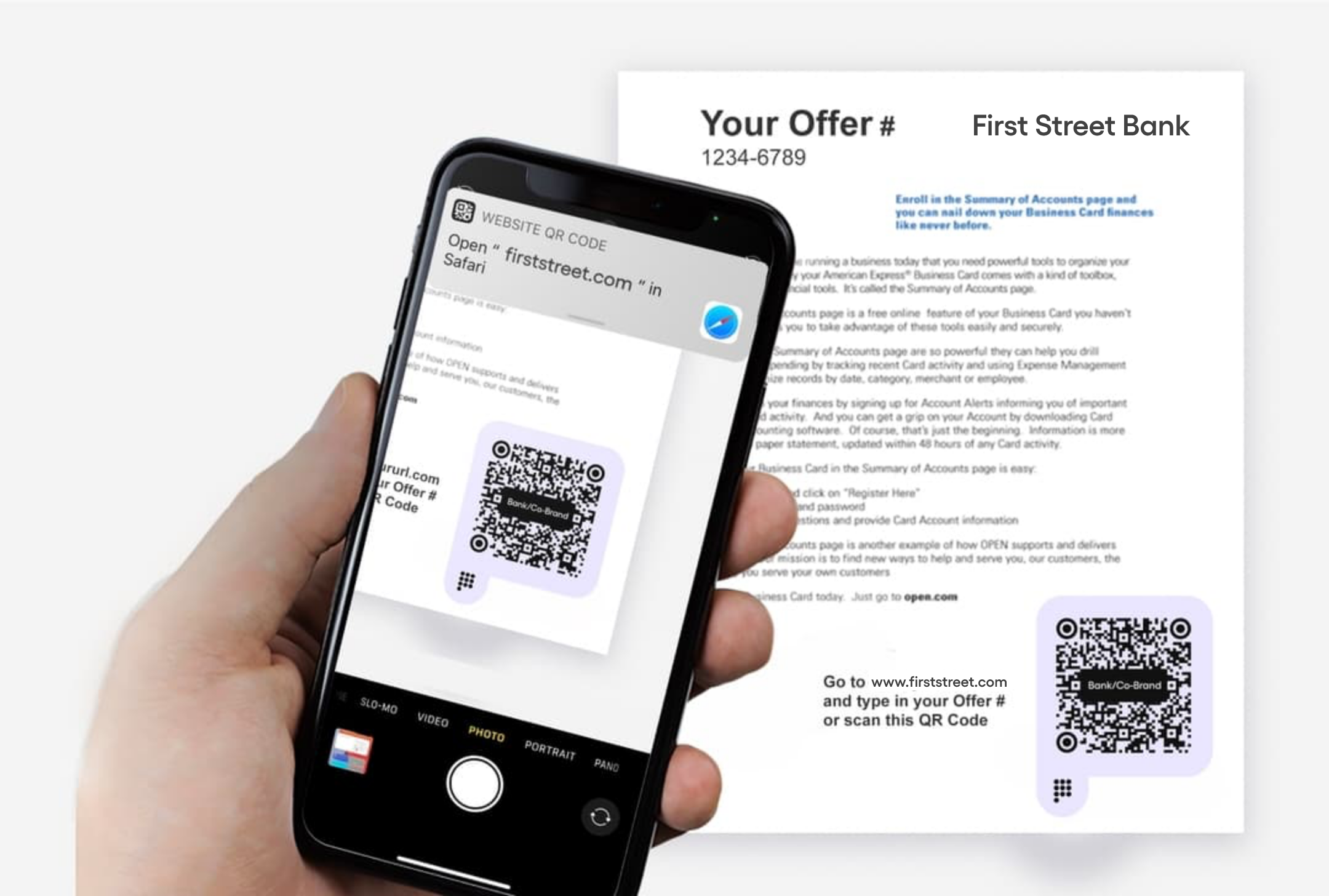
As customers become more proficient with their digital experiences utilizing their smartphones as actionable tool, Prove enhanced the Pre-Fill onboarding experience to start anywhere on-the-go, from the convenience scanning an embedded media code at a baggage claim terminal to multitasking in a long line at a stadium concession stand.
Prove generates a custom QR Code entry point that routes to your preferred "Sign Up" URL destination for a convenient customer experience and enhanced marketing data.
The customer scans the QR code with their smartphone to access the sign-up page and initiate the onboarding process. In the background, Prove conducts an eligibility check to ensure there is enough consumer data to continue with Prove Pre-Fill, while confirming real time behavior and tenure of the phone’s reputation score to prevent fraud.
The customer gives their consent to continue Prove Pre-Fill by entering their birthdate and agreeing to the terms and conditions. This initiates Prove to passively verify the customer’s personal identification token (PIT).
Having given their consent, customer reviews the pre-populated personal identity data by either editing or approving it. The secure, compliant data has been pulled from authoritative sources and is highly accurate for a streamlined process.
And just like that, the customer has successfully onboarded on their smartphone via embedded media. With Prove Pre-Fill, the customer enjoys a speedy onboarding process while companies appreciate a substantial drop in customer abandonment rates.
The customer receives a pre-selected offer and call of action.. The customer clicks to initiate identity and display offer.
In the background, Prove makes sure that it has the data necessary to Prove Pre-Fill a customer's identity. If so, the customer will proceed to the next step. If not, the customer will be routed to a traditional sign-up flow.
The customer gives their consent to continue Prove Pre-Fill by entering the last four digits of their SSN and agreeing to the terms and conditions.
The customer will review the autofilled data by either editing or approving it. The data has been pulled from authoritative sources like credit bureaus and is highly accurate.
And just like that, the customer has successfully signed up for a pre-approved credit card. With Pre-Fill, the customer enjoys a speedy onboarding process while companies appreciate a drop in customer abandonment rates.
.svg)




.svg)


.jpg)


.svg)
.svg)
.svg)
.svg)